In the space of three weeks in November 2026, Google appeared to pull its AI Mode in two directions at once. On one side, testers spotted versions of Google Search where the AI Mode button, the AI Mode tab and the “Ask anything” follow-up box had disappeared. On the other, Google officially rolled out a new sidebar on its desktop homepage that keeps a running list of people’s AI searches. Understanding what these moves mean is essential for anyone whose traffic depends on Google.
The timeline of a busy autumn
- September 18: Google tested adding the AI Mode button to the search bar on results pages, not just the homepage.
- October 14: it tested placing the AI Mode sidebar directly on the main results page instead of in a separate AI Mode tab.
- November 3: Search Engine Roundtable reported user sightings of a test removing the AI Mode button from the search bar, which it could not reproduce. The same day it reported a test moving AI Overviews about brands to the right-hand side of the results page.
- November 10: Google’s new Gemini 4 Carbon model became available in AI Mode for Google AI Ultra subscribers. (See our separate analysis of Gemini 4 Carbon for marketing teams.)
- November 13: SEO consultant Glenn Gabe shared screenshots of a test with no AI Mode tab on the results page and no “Ask anything” box under AI Overviews.
- November 17: Google rolled out temporary threads in AI Mode globally, letting people run AI searches that are not saved to their history.
- November 19: Robby Stein, Google’s vice president of product for Search, announced a collapsible sidebar on the desktop homepage, rolling out globally, for finding and returning to recent AI searches.
What the new sidebar does
The sidebar opens from the left edge of the Google homepage on desktop. It lists recent AI Mode threads and, according to reporting on the launch, lets users start a new thread, search past threads and connect a Gemini Notebook. It can be collapsed back to the familiar search box. Resuming earlier threads depends on users having history and personalisation settings enabled.
Stein explained the reasoning: more people come to Search with questions that are not one-and-done, and in testing the sidebar helped them keep making progress. In other words, Google wants Search to behave more like an ongoing workspace than a single query box.
So is Google pulling back on AI Mode?
Not necessarily. The two moves are compatible once you separate the homepage from the results page:
- On the homepage, Google is making AI Mode more persistent and easier to return to. That is where people start open-ended tasks.
- On the results page, Google is testing how much AI Mode promotion users actually need. Removing a tab or a follow-up box in a test may simply measure whether people miss it.
Google runs thousands of experiments a year, and a test seen by a few users is not a product decision. The officially announced changes in this period, temporary threads and the homepage sidebar, both deepen AI Mode rather than retreat from it.
Why this matters for brands and publishers
Multi-step journeys reduce single-click visits
When a user can return to a thread days later and continue refining a question, part of the research that used to happen across several separate searches and website visits happens inside Google’s interface. Websites may receive fewer but more qualified visits, typically at the point when the user is ready to verify a detail or act.
Being cited inside the thread becomes valuable
AI Mode answers draw on web sources and link to them. Pages that offer specific, verifiable information, such as clear specifications, original data, pricing and comparison tables, are more useful to cite than generic overviews. This is the core of generative engine optimization.
Brand presentation is being tested too
The reported test moving brand-related AI Overviews to the side of the results page shows Google is still experimenting with how brands are described. Keep your official information consistent across your website, business profiles and major directories, so that AI summaries have accurate material to draw from.
Measurement will keep getting harder
Persistent threads, temporary threads and AI answers make it harder to connect a visit to the query that inspired it. Combine Search Console data with on-site analytics and, where possible, ask new customers how they found you.
What to do now
- Audit your top non-branded queries manually in Google, including in AI Mode, and note which sources are cited.
- Strengthen pages that answer follow-up questions: comparisons, “how to choose” guides, pricing explanations and FAQs.
- Add original value that an AI summary cannot easily replace: data, tools, templates and first-hand testing.
- Track changes over weeks, not days. This period also overlaps with Google’s November 2026 core update, so separate the two effects carefully.
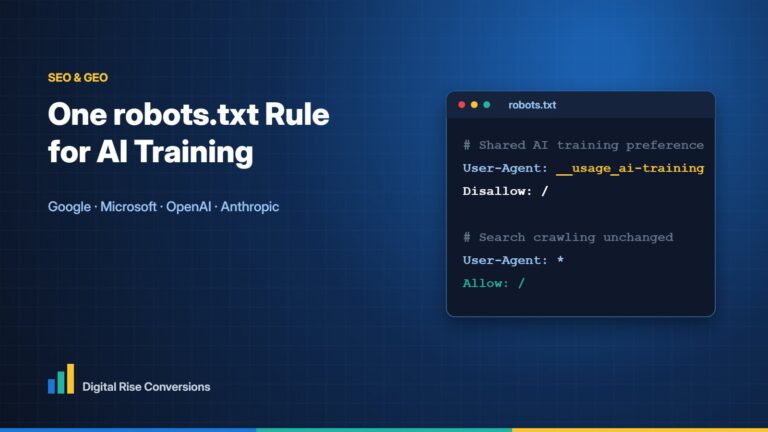
Website owners who want to decide how their content is used by AI features, as opposed to ranked in search, should also follow the new industry-wide training preference. We break it down in our explainer on the shared AI training opt-out in robots.txt.
Conclusion
Google is not abandoning AI Mode. It is relocating it, making it a persistent space anchored on the homepage while testing how prominent it should be on the results page. For marketers and publishers, the practical takeaway is that visibility now depends on being useful at several points of a longer, conversational journey, not just on ranking for a single query.
Sources
- Search Engine Roundtable, Google Search Officially Rolls Out Collapsible Sidebar (Nov 19, 2026)
- Search Engine Roundtable, Google Tests Dropping AI Mode From Search Bar & Ask Anything (Nov 13, 2026)
- Search Engine Roundtable, Daily recap, Nov 3, 2026
- Unite.AI, Google Adds a Sidebar for Recent AI Searches to Its Desktop Homepage
- Optimixed, timeline of AI Mode tests, Sept–Nov 2026
- Google, Gemini 4 Carbon is now available