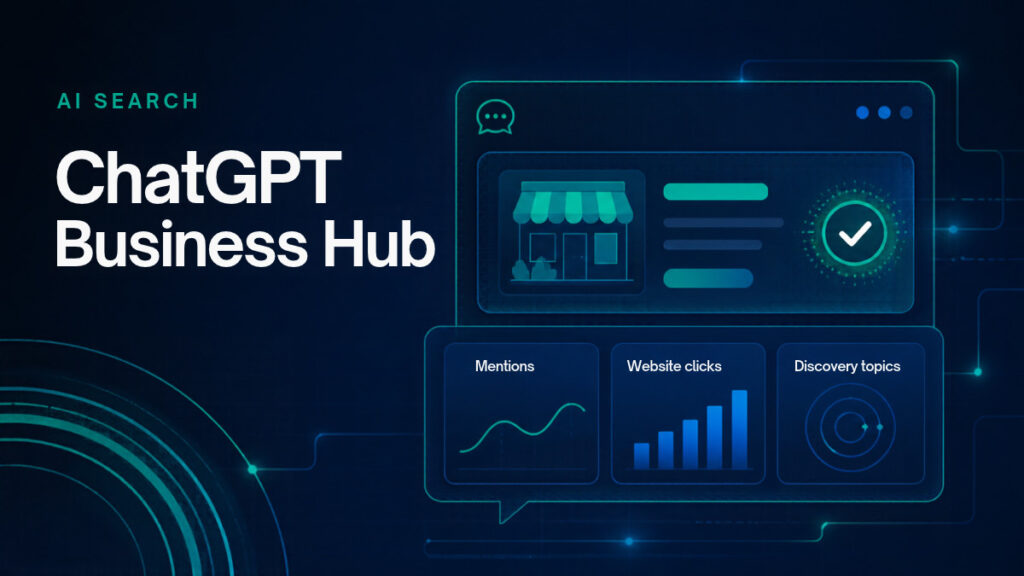
For two years, marketers trying to understand their visibility in ChatGPT have relied on third-party tools that run sample prompts and estimate how often a brand appears. That changed on November 10, 2026, when OpenAI launched Businesses in ChatGPT in beta. Its Business Hub lets companies claim their profile, correct the information ChatGPT uses, and see first-party data on how often they are mentioned and how many people click through to their website.
This is the first time a major AI assistant has given businesses a dashboard of their own visibility inside its answers. Here is what the Business Hub includes, what it leaves out, and how marketing and SEO teams can fold it into their reporting.
What OpenAI launched
Businesses in ChatGPT has two parts: the Business Hub, where companies manage their presence, and Business Agents, which answer customer questions on a business’s behalf.
- Claiming and verification: eligible businesses in markets where ChatGPT is available can claim their organization through the Business Hub. Once verified, they can update key details and add product feeds with pricing and availability. Shopify merchants can connect their store directly.
- Insights: OpenAI names three metrics: mentions, website clicks, and discovery topics, which it describes as common themes across conversations that cite the business’s website. The dashboard also shows profile views.
- Business Agents: after claiming a profile, a business can build, test and launch an agent that answers questions about its offering in a clearly labelled conversation, separate from the user’s original chat. The feature started with eligible ecommerce and online service businesses in the United States, and a November 19 update extended it to eligible businesses in those categories outside the U.S.
- Sponsorship: businesses can sponsor their agent and use it as the destination for ChatGPT Ads. OpenAI says sponsored placements are labelled and kept separate from ChatGPT’s answers.
The launch lands only weeks after ChatGPT’s advertising business accelerated, which we covered in our analysis of ChatGPT Ads and conversational advertising. Together, the two moves give OpenAI an organic profile layer and a paid layer for businesses, a structure that will feel familiar to anyone who manages a Google Business Profile alongside Google Ads.
Why first-party AI visibility data matters
Until now, most AI visibility reporting has been inferred. Tools send batches of prompts to an assistant, record which brands appear, and extrapolate. That approach is useful for spotting trends, but it measures a sample of hypothetical questions rather than what real users asked.
The Business Hub reverses that. The counts come from OpenAI’s own data about actual conversations, aggregated across users. For the first time, a brand can see whether ChatGPT mentions it regularly and whether those mentions lead to visits.
The timing matters. AI assistants are becoming an early step in the purchase journey, as the 2026 holiday data in our report on AI-assisted holiday shopping shows. Microsoft moved in the same direction earlier this year with an AI Performance report in Bing Webmaster Tools that shows how often a site is cited in generative answers. First-party AI visibility data is quickly becoming a standard part of the toolkit, not an experiment.
What the data will not tell you
The Business Hub is a useful new signal, but it has clear limits that teams should understand before building reports on it.
- No prompts or conversations: OpenAI says it does not share users’ conversations or Business Agent chats with businesses. You will see that you were mentioned, not what people asked.
- Thresholds apply: insights are aggregated and only appear once enough conversations or interactions meet OpenAI’s thresholds. Smaller businesses may see little or no data at first, and early users reported empty dashboards on launch day.
- Clicks are only part of the journey: someone who discovers your brand in ChatGPT and later searches for it on Google will not appear as a ChatGPT click. Mentions can create demand that shows up elsewhere in your analytics.
- No rankings or competitor view: the hub shows your own figures. It does not tell you which competitors were recommended instead of you.
How to put the Business Hub to work
1. Claim and verify your business
Claiming comes first because it unlocks both the data and the ability to correct what ChatGPT says about you. Verification steps vary by market, so start early, especially if you manage several brands or locations.
2. Audit the facts ChatGPT uses
Check opening hours, contact details, return policies, prices and product availability. Outdated details in an AI answer cost trust in the same way an outdated search listing does. For ecommerce, a product feed with current prices and stock is the most direct way to keep answers accurate.
3. Build a baseline and connect it to analytics
Record mentions and clicks weekly from the day data appears. Compare Business Hub clicks with referral sessions from chatgpt.com in your analytics tool, and annotate both when you change content or launch campaigns. The same discipline we recommend for measuring the November 2026 core update applies here: save a clean baseline before drawing conclusions.
4. Turn discovery topics into a content plan
Discovery topics show the themes of conversations in which your website is cited. Map each topic to the page that should answer it best, then check whether that page gives a clear, specific and up-to-date answer. Topics with no matching page point to content gaps. Claiming your profile lets you correct facts, but being recommended still depends on your content being the clearest source for the question.
5. Test agents and sponsorship deliberately
For eligible ecommerce and service businesses, a Business Agent can answer detailed questions about products and policies. Start with a limited scope, review what the agent says, and only then consider sponsoring it as an ad destination. Treat it as a new customer-service channel that needs owners and quality checks, not a switch to flip.
6. Keep search and AI visibility in one plan
ChatGPT is one surface among several. Google keeps reshaping its own AI experiences, as shown by the mixed signals around AI Mode. Report AI and traditional search visibility side by side so that budget and content decisions are based on the whole picture.
What it means for SEO and GEO
Generative engine optimization has long suffered from a measurement problem: teams could improve content for AI answers but struggled to prove the effect. The Business Hub does not solve that completely, but it gives a first-party measure of whether a brand is being mentioned and clicked in the world’s most widely used AI assistant. Expect it to become a standard line in monthly reports, next to Search Console and Bing Webmaster Tools data.
It also raises the stakes for accurate, structured business information. The brands that gain most will be those that keep their facts, product data and key pages consistent everywhere an AI system might look.
Conclusion
The ChatGPT Business Hub gives businesses something they have been asking for since AI answers started reaching customers: a view of their own visibility, from the source. The data is aggregated and incomplete, so it should complement, not replace, your existing analytics. Claim your profile, correct your information, record a baseline and use discovery topics to guide content. Those steps are low cost and put you in a better position as OpenAI expands the program to more markets and business categories.
Have a question about this article or spotted something we should update? Contact our team, and learn more about Digital Rise Conversions.
Related reading
- One robots.txt Rule for AI Training: What Publishers Should Know About the Shared Opt-Out Signal
- ChatGPT Ads Hits a $1 Billion Run Rate: What Conversational Advertising Means for Marketers
- AI Assistants Are Becoming Holiday Shoppers’ First Stop: What the 2026 Data Shows
- Browse more coverage in AI Search & Search Engines
Sources
- OpenAI, Businesses in ChatGPT and Business Hub (November 10, 2026, updated November 19, 2026)
- Search Engine Roundtable, Businesses in ChatGPT Business Hub Live With Click Data (November 10, 2026)
- IT Brief UK, OpenAI launches ChatGPT Business Hub for companies
- Microsoft Bing, Introducing AI Performance in Bing Webmaster Tools (Public Preview)